Generate
Download models and run them on your Mac.
- 3D models: TripoSR
- Images: FLUX.2 klein 4B
- Music: ACE-Step 1.5
- Sound effects: MOSS-SoundEffect v2.0
- 3D animation and auto-rigging

Asset library for game developers
Generate assets on your Mac, manage them by project, and export them to your engine.
Available on macOS Windows in preparation
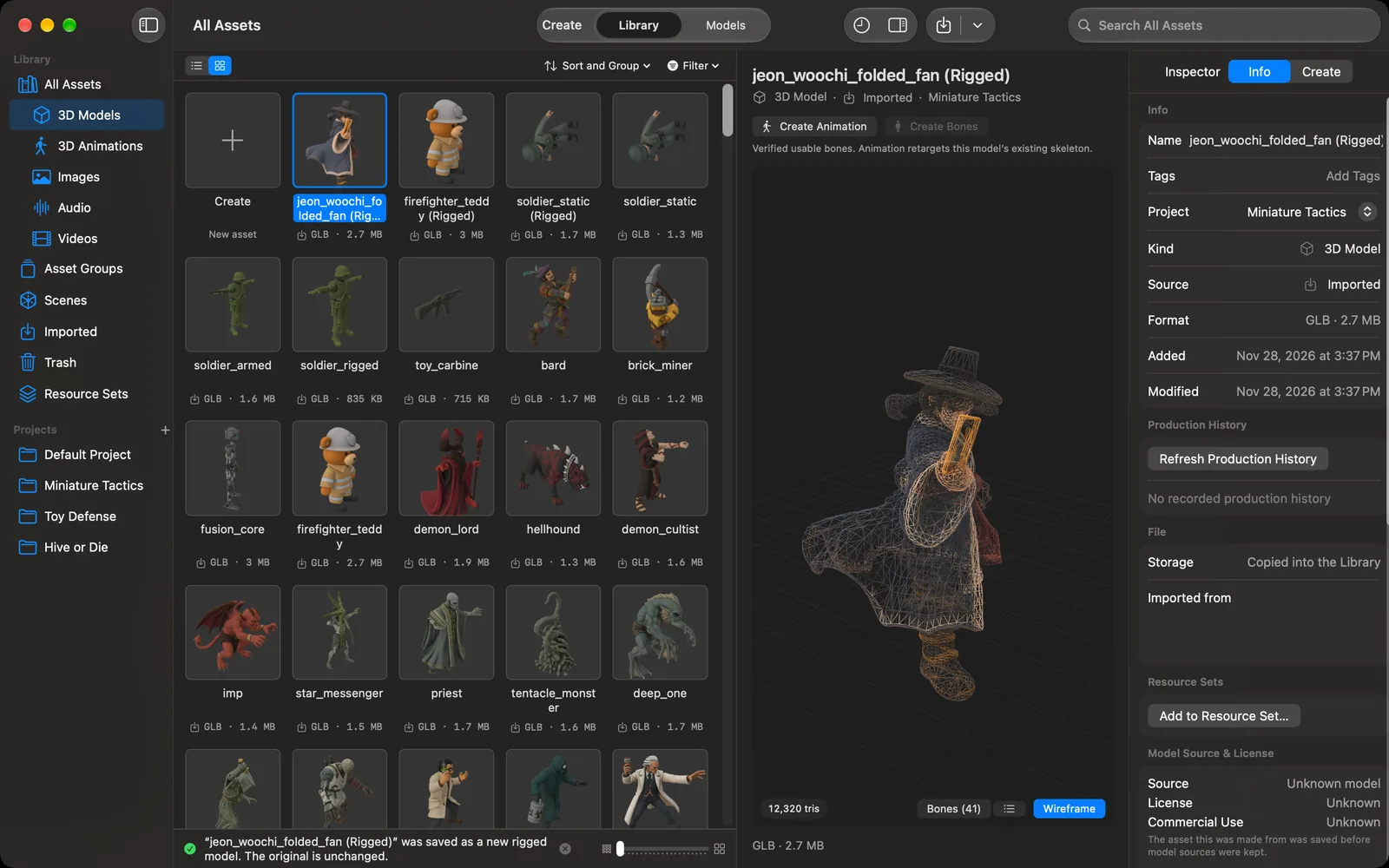
Implemented in the Mac app and confirmed on screen.
Download models and run them on your Mac.
Keep generated and purchased assets in one place.
Hook into your engine and coding tools.
Captures of the Mac app window, taken in November 2026.
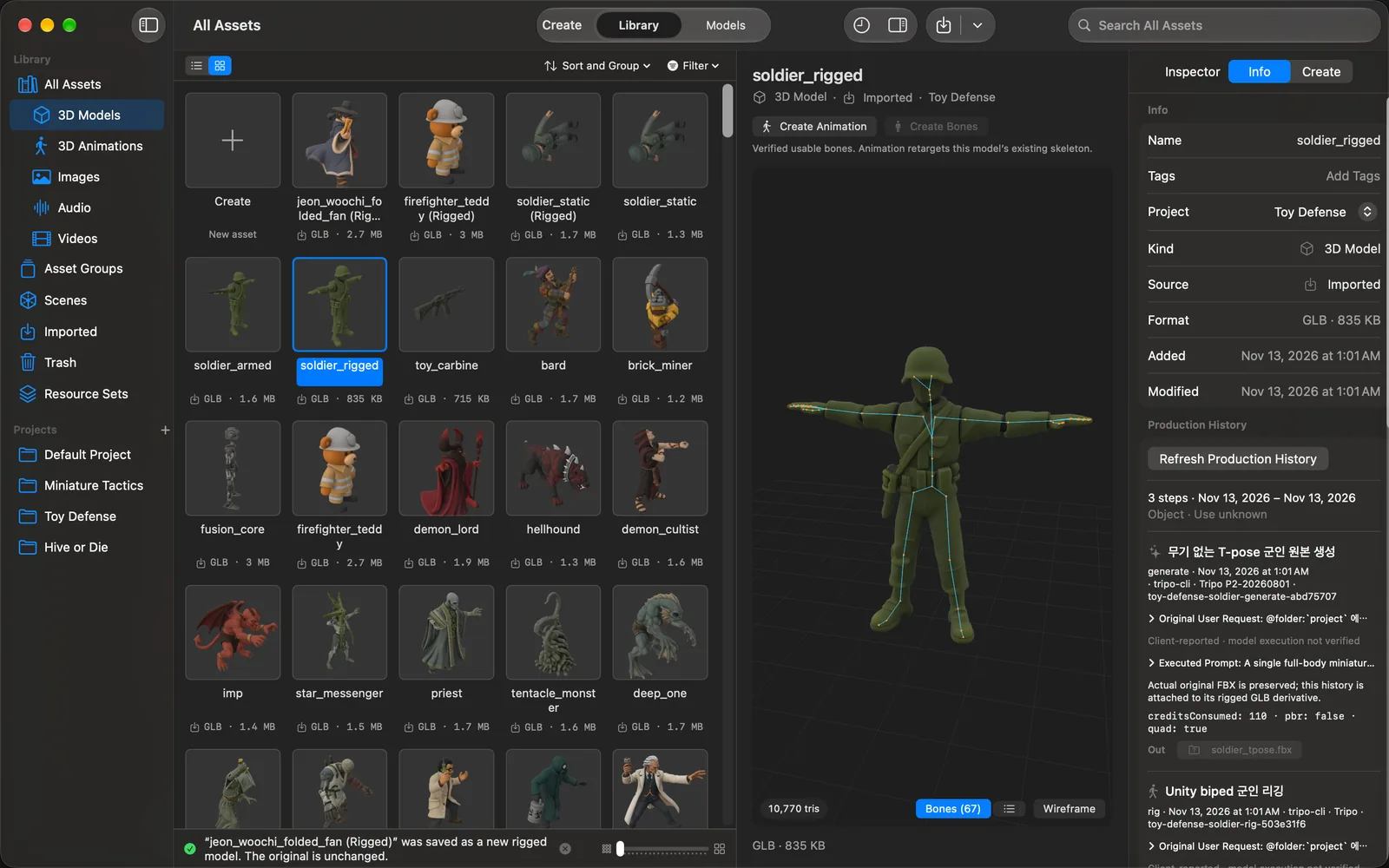
Every model records the steps it was made with. Check the skeleton and wireframe in the 3D preview, and create animations from a rigged model.
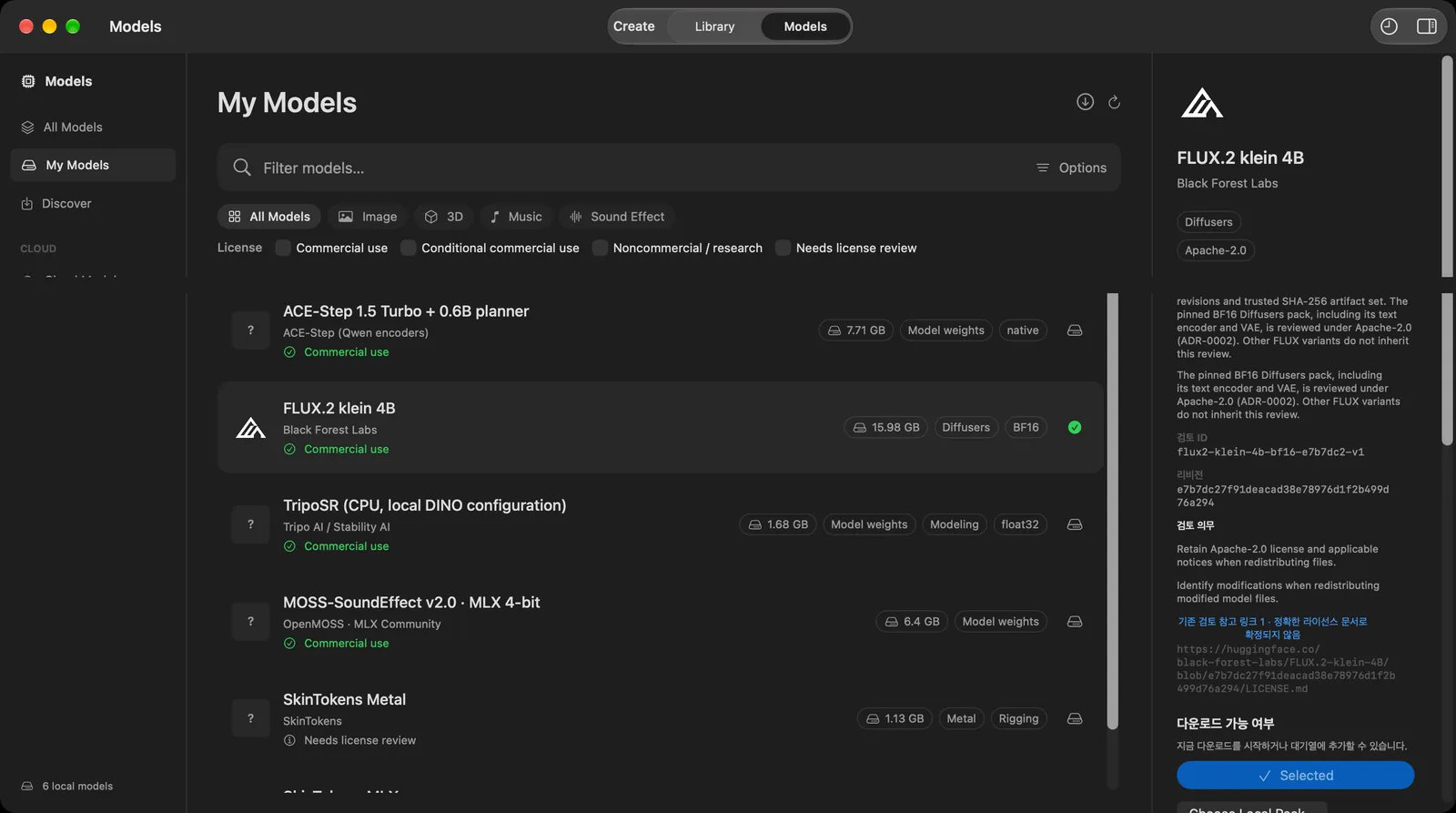
Download open-source models in the app and run them on your Mac. Each model shows whether commercial use is allowed or the license needs review, and you can filter by those conditions.
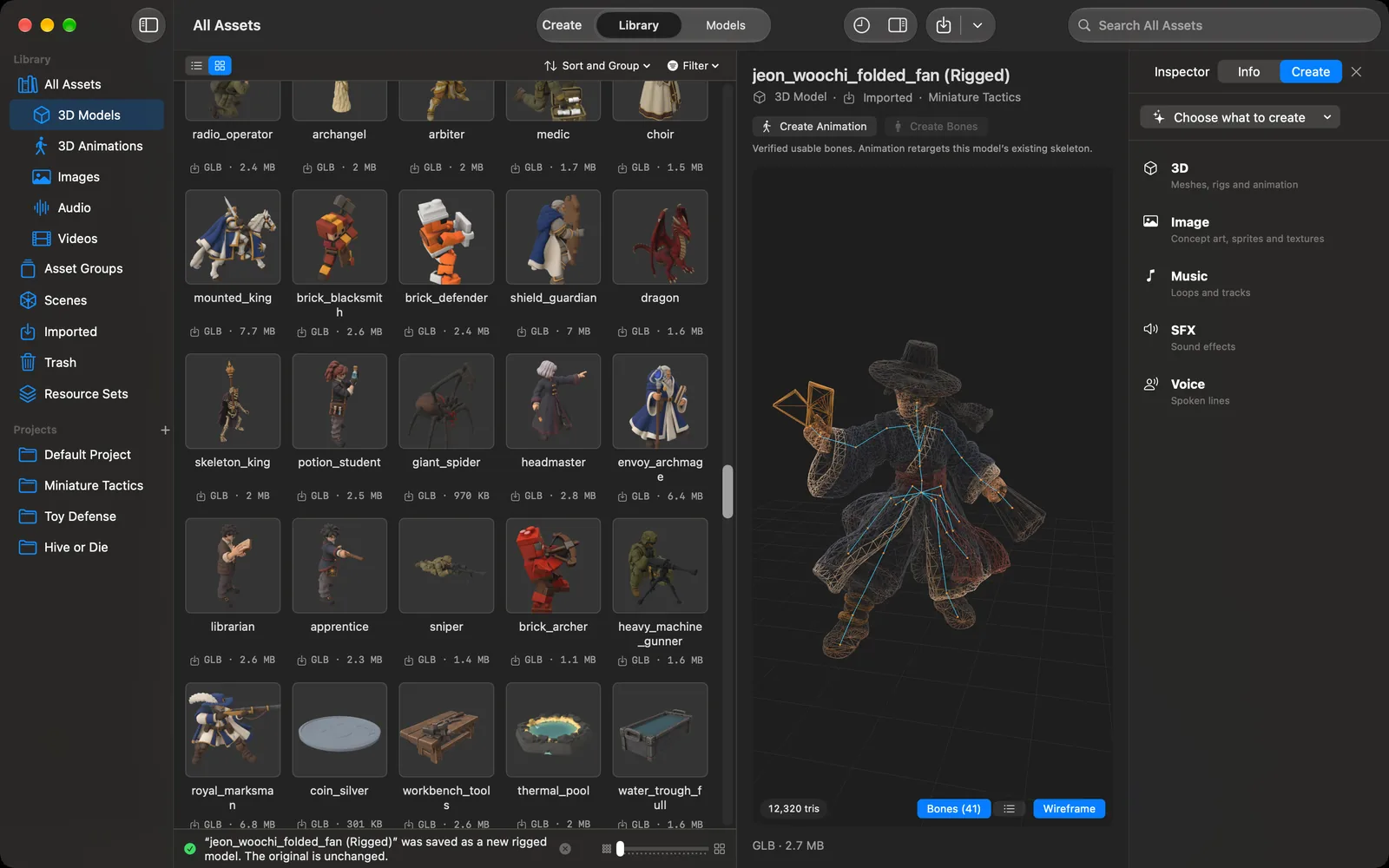
Pick an item in the Create panel on the right of the library and make it without leaving the window. New assets go to the project you set in Settings.
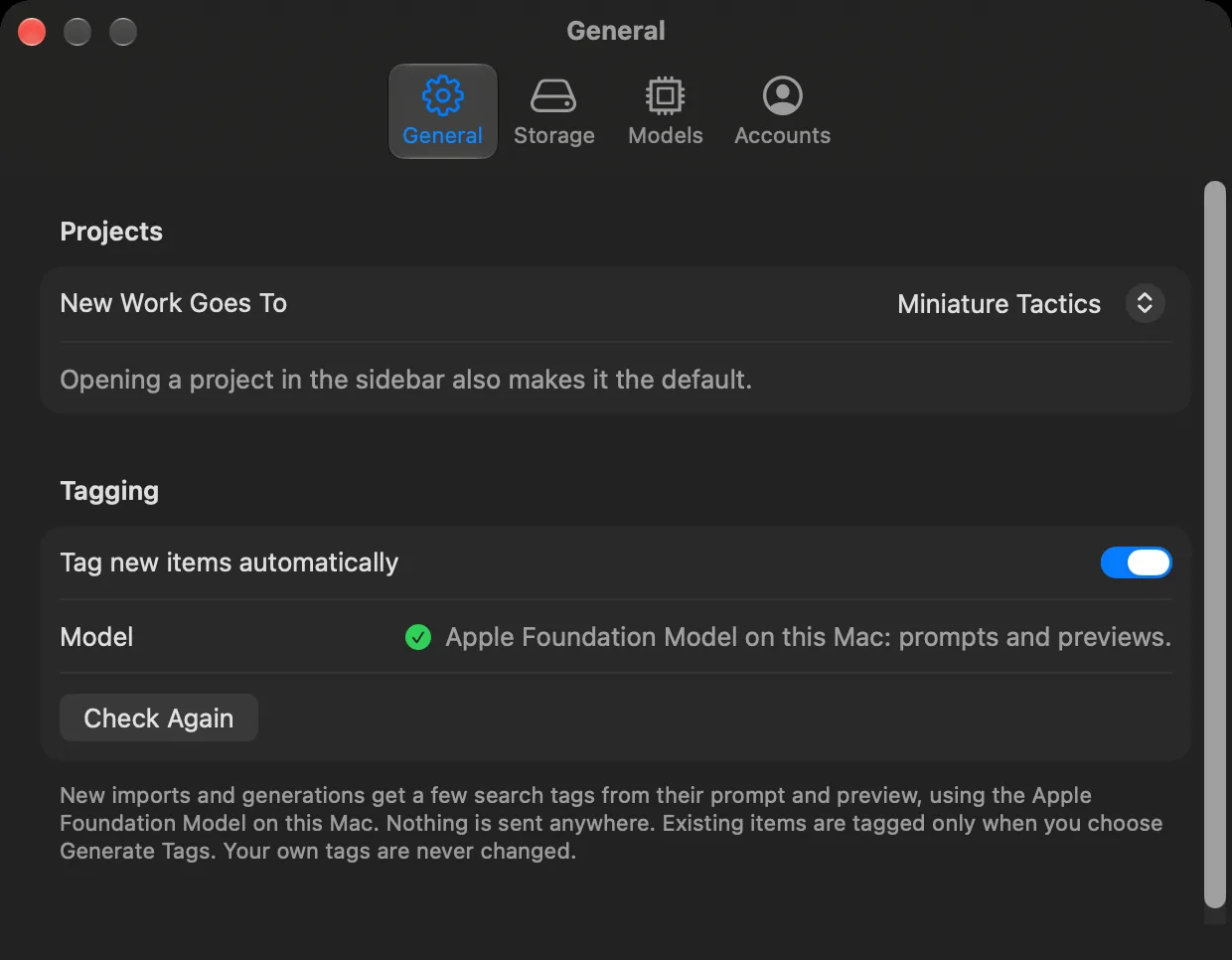
The Apple Foundation Model on your Mac reads the prompt and preview and adds search tags. Nothing is sent anywhere, and tags you add yourself are never changed.
Send assets to your engine and use them from your coding tools.
Export assets from the library to either engine.
An MCP server and an Agent Skill for use with Codex and Claude.
Connect with your own API key. The key is stored in your login Keychain.
Download open-source models from inside the app.
A Mac app.
Not available yet.
macOS. Windows is in preparation.
3D, images, music and sound effects use open-source models that you download in the app and run on your Mac. Tripo is a cloud service and needs your own API key.
Unity and Godot.
Each asset has fields for model source, license and commercial use. In the model list you can filter by whether commercial use is allowed. Assets with no record are shown as Unknown.
There is no public download yet. Email me to ask about early access.

Want to try it? Send an email.
Available on macOS · Windows in preparation